English
 français
 Deutsch
 русский
 español
 português
 日本語
日本語 한국의
한국의 العربية
 中文
中文
You should pick optical receiver modules that fit your project. Make sure they work with your current systems. Choose the correct module type for your setup. Good optical module designs use special materials and careful building. These things help lower delays and keep your signal strong. This choice keeps your network safe from bit errors and packet loss. The right optical receiver module gives good performance and steady connections.
Key Takeaways
-
Figure out what your project needs first. This helps you pick the right optical receiver module. It makes sure everything works well together and performs its best.
-
Pick a data rate and bandwidth that fits your network. This keeps data moving smoothly. It also stops slowdowns from happening.
-
Think about how far the signal must travel and what fiber type you use. Choosing the right fiber-optic receiver stops signal loss. It also makes your system more reliable.
-
Look at things like temperature and humidity in your area. Picking modules made for your environment helps them last longer. It also makes them work better.
-
Make a checklist to check compatibility and specs. This helps you avoid errors. It makes sure your optical link works well.
Project Requirements for Optical Receiver Modules
Define Application and Use Case
First, figure out how you will use optical receiver modules. Many new systems need these modules to talk to each other. Here are some ways people use them:
-
Railroad systems use them to send messages and keep data safe.
-
Tunnel traffic monitoring uses fiber-optic sensors to warn about fires.
-
Intelligent transportation systems help move data quickly and save money.
-
Building automation uses them to control smart buildings.
-
ISP networks use them to give fast internet.
-
Automotive networks use them so cars can share information.
Think about what you need for your project. This helps you pick the right optical module type, like SFP, SFP+, or QSFP, for your network.
Data Rate and Bandwidth Needs
You have to think about how fast and how much data your project needs. These things decide how much your receiver can handle. The table below shows how fast different modules are and what they are used for:
|
Module Speed |
Typical Form Factor |
Application Scenarios |
|---|---|---|
|
10G |
SFP+ |
Enterprise access, campus networks |
|
25G |
SFP28 |
5G fronthaul, ToR server connections |
|
40G |
QSFP+ |
Legacy data center backbone |
|
100G |
QSFP28 |
Modern data center core |
|
400G |
QSFP-DD, OSFP |
Hyperscale data centers, AI clusters |
|
800G |
OSFP, QSFP-DD800 |
Next-gen AI infrastructure |
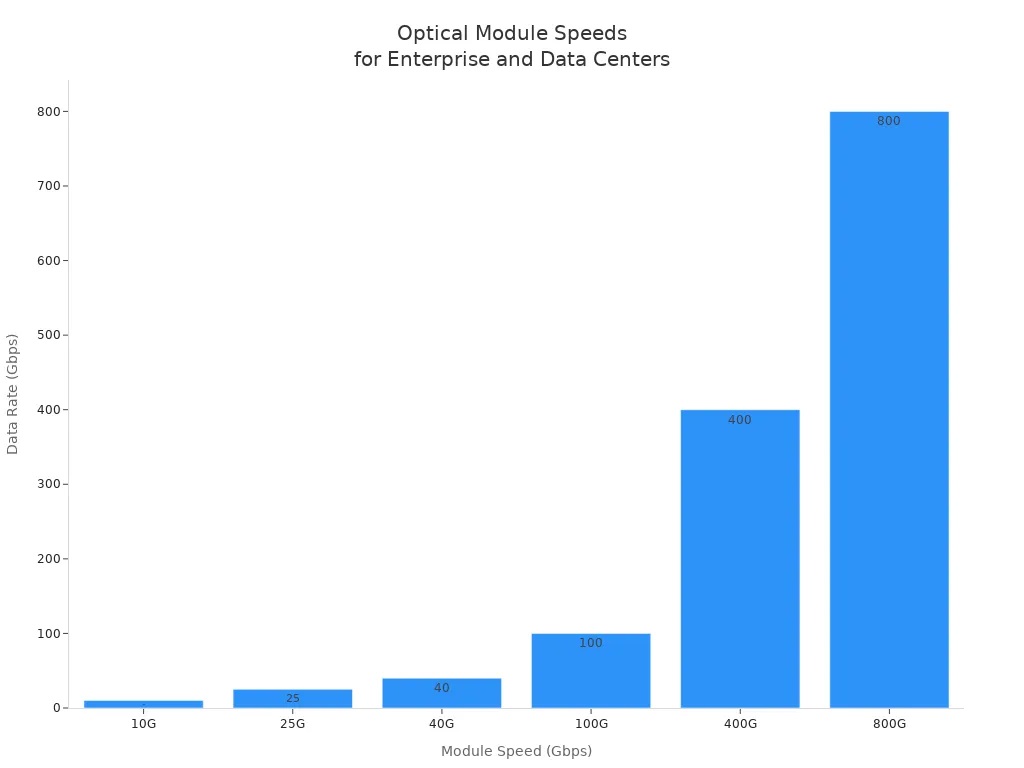
Pick a data rate and bandwidth that fits your network. This makes sure everything works together and data moves smoothly.
Transmission Distance
Check how far your fiber-optic receiver can send signals. The kind of fiber you use changes how far the signal goes:
|
Fiber Type |
Maximum Transmission Distance |
|---|---|
|
Single-Mode Fiber |
Over 2000 km |
|
Multi-Mode Fiber |
No more than 500 m |
Pick the right fiber and receiver for the distance you need. This stops signal loss and keeps your network working well.
Environmental Considerations
Think about where you will put your optical receiver modules. Temperature and humidity can change how well they work and how long they last:
-
High heat can make parts get bigger or smaller, which causes trouble.
-
Humidity can make water build up, which can rust parts and cause problems with electricity.
-
If temperature and humidity change a lot, the receiver can wear out faster.
Choose modules made for your environment. This helps your system work well and last longer.
Key Specifications and Compatibility
System Compatibility Factors
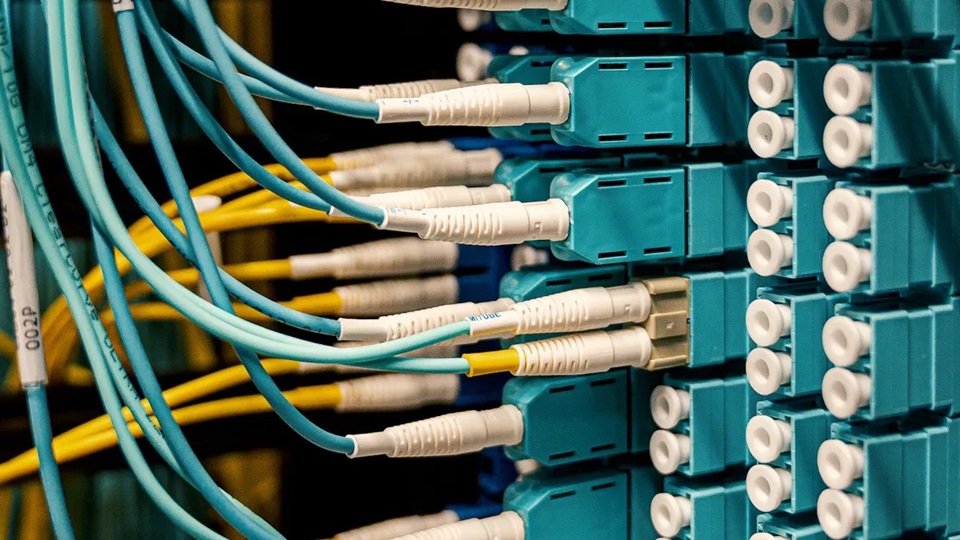
You should always check if the module fits your system. Look at your network devices to see what they support. Make sure the optical wavelengths match your setup. Decide if you need single-mode or multimode modules. Check if your system can handle the data rates. Make sure your new module works with your current equipment.
Tip: Write down the size, interface type, and power needs of your hardware. This helps you avoid problems when you install a new module.
3-dB Bandwidth and Conversion Gain
Bandwidth shows how much data your receiver can handle. The 3-dB bandwidth is the range where the signal stays strong. A bigger bandwidth lets you send more data but can add noise. You need to balance speed and signal quality. In fast networks, the 3-dB bandwidth affects how clear the signal is. Some designs use DFB lasers with a -20dB width to keep signals clear. For conversion gain, many receivers in telecom use up to 83 dBΩ. This means they can turn weak optical signals into strong electrical ones.
Rise Time and Response Speed
Rise time tells you how quickly your receiver reacts to changes. A short rise time helps your system handle fast data bursts. Fast response speed is important for networks that send lots of data. If your project needs high-speed data, pick a receiver with low rise time and fast response speed.
Plug-and-Play Compatibility
You want modules that are easy to install. Plug-and-play compatibility lets you add or change modules without special tools. This saves time and helps you make fewer mistakes. Always check if your module supports plug-and-play before you buy.
Types of Optical Receiver Modules
Fiber-Optic Receiver Modules
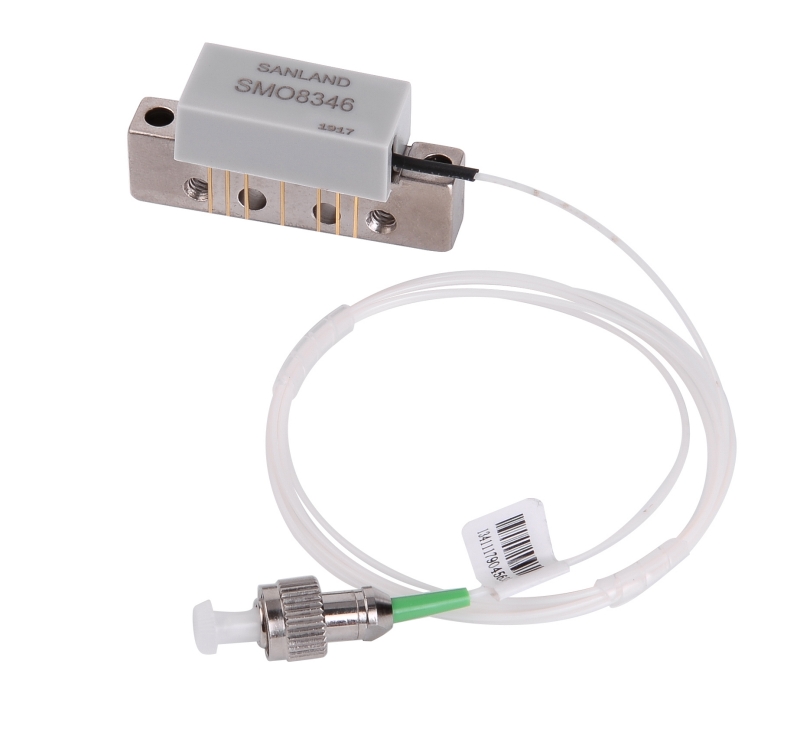
Fiber-optic receiver modules are used in many fields. These modules change light signals into electrical signals. They help send data fast and keep it safe. You can use them in places that need strong and quick data transfer. The table below shows how different jobs use fiber-optic receivers:
|
Sector |
Use Cases |
|---|---|
|
Telecommunications |
Data transmission and communication systems |
|
Data Centers |
High-speed data transfer and network connectivity |
|
Oil and Gas Exploration |
Remote monitoring and data collection in harsh environments |
|
Medical Equipment |
Imaging and diagnostics |
|
Sensors |
Environmental and structural health monitoring |
|
Security and Surveillance |
Secure and reliable surveillance systems |
|
Factory Automation |
Automated systems for better efficiency |
|
Transportation |
Communication for rail and road networks |
|
Utilities |
Monitoring energy and water distribution |
|
Environmental Monitoring |
Climate and environmental data collection |
You can find fiber-optic receivers in many places. They are used in factory automation, outdoor cabinets, and transportation. They are also used at oil and gas sites and utilities. These modules work well in rough places.
Free Space Optical Modules
Free-space optical modules send data through air with light. You do not need a fiber cable for these modules. You can use them to link two buildings or make a quick connection. These modules need a clear path to work best. You should watch the weather because fog or rain can cause problems.
Standalone Receivers vs. Detectors
Standalone receivers have electronics inside. They change optical signals to electrical signals and make them stronger. You can use them when you want something ready to use. Fiber-optic detectors only sense light. You need extra electronics to use the signal. Pick detectors if you want to build your own circuits or need special sensitivity and bandwidth.
Optical Module vs. Optical Transceiver
An optical module works in one direction. It can be a receiver or a transmitter. An optical transceiver does both jobs. You can send and get data with a transceiver. If you need two-way data, choose a transceiver. If you only need to get data, use an optical receiver module. Always check if it fits your network and fiber type before you pick.
Note: The best choice depends on your project. Think about what you need for bandwidth, sensitivity, and system design. Look at the types of optical receivers and match them to your project for good results.
Practical Selection Guide
Matching Specs to Project Needs
You need to make sure the optical receiver module fits your project. First, check what your switch or router can use. Look at the port type and see which optics classes work. Next, figure out the link budget. Make sure the signal is strong enough for the receiver. This stops weak signals and keeps your data safe. Always check if the module is compatible. Some systems only work with certain brands or codes. Follow these steps to pick the right optical receiver:
-
Match the port and switch ability.
-
Figure out the link budget and pick the right reach.
-
Check for compatibility and vendor lock.
Tip: If you pick the smallest form factor that works, you save space and make your setup easier.
Reviewing Accessories and Support
Accessories and support are important when you pick an optical module. Good vendors test their products in many ways. They do tests on modules before and after they are finished. Early tests check how the module looks and works. Finished tests check things like optical power and eye diagrams. Compatibility tests make sure modules work with OEM switches. Here is a table to help you look at accessories:
|
Criteria Type |
Description |
|---|---|
|
Testing Systems |
Vendors should test transceivers well, including unfinished and finished modules. |
|
Semi-finished Module Tests |
Basic looks and simple performance tests. |
|
Finished Module Tests |
Tests for optical power, spectral, and eye diagrams. |
|
Compatibility Tests |
Tests on OEM switches to make sure everything works together. |
You should also look for accessories that help measure optical power, test bit error rates, do digital checks, loopback tests, and eye diagram checks. Testing makes sure fiber-optic receivers meet IEEE 802.3 and MSA rules. This helps you avoid problems when you use them.
Note: Pick vendors who give good service and technical help. Good support and clear datasheets make setup and fixing problems easier.
Cost and Supplier Reliability
Cost is important, but reliability matters more. Some people buy cheaper modules, but they may not last or work well. You should pick suppliers who offer high quality and follow standards. Good suppliers test their modules for tough conditions and digital checks. They use strict tests to make sure every optical transceiver works right. Quality, following rules, and strong testing help you avoid trouble and keep your network running.
-
Product quality
-
Follows standards
-
Works in tough places
-
Has digital checks
-
Uses strong testing
Alert: If you ignore module rules or pick the wrong form factor, you can make connection mistakes.
Final Checklist for Optical Receiver Selection
Use a checklist to help you pick the best optical receiver for your project. This helps you avoid mistakes and keeps your network strong. Here is a table with things to check:
|
Factor |
Description |
|---|---|
|
Transmission Speed |
How fast data moves through the module. |
|
Usage Environment |
Where the module will work (inside, outside, tough places). |
|
Connector Type |
The connector used for the module. |
|
Fiber Type |
The kind of fiber (single-mode or multi-mode) that fits the module. |
|
Transmission Distance |
The farthest distance for good transmission. |
|
Optical Wavelengths |
The wavelengths the module can use. |
|
Fiber Transceiver Type |
The type of transceiver that matches your fiber. |
|
MSA Compliance |
Follows Multi-source Agreement rules for compatibility. |
|
IEEE Specifications |
Meets IEEE rules for industry use. |
|
After-sales Support |
Help and service after you buy. |
A checklist helps you check for compatibility, quality, and performance. This keeps your optical link working well and lowers errors. Always look at your checklist before you buy fiber-optic detectors or modules.
Tip: Do not pick a form factor that is too big or a solution that is not tough. Always follow setup rules for the best results.
To pick the best optical receiver module, follow these steps:
-
Figure out what your project needs and if you want digital or analog signals.
-
Make sure the optical wavelength and bandwidth match your network.
-
Pick the right receiver type and output interface for your setup.
-
Think about where you will use it and check the power supply.
-
Make sure it meets rules and has good support.
|
Key Consideration |
Explanation |
|---|---|
|
Compatibility |
Look at your network gear and fiber type. |
|
Receiver Sensitivity |
Choose a module that works for your signal and distance. |
|
Bandwidth |
Check if it fits your data needs. |
If your project is hard, ask technical experts or suppliers for help. They can help you avoid problems and get good results.
FAQ
What is the main job of an optical receiver module?
You use an optical receiver module to change light signals into electrical signals. This lets your network devices read and use the data sent over fiber.
How do you know if a module fits your system?
Check your device’s specs. Look at the port type, data rate, and fiber type. If these match, your module should fit your system.
Can you mix brands of optical receiver modules?
You can mix brands, but some devices only work with certain brands. Always check your device manual or ask your supplier before you buy.
What happens if you pick the wrong module?
-
Your network may not work.
-
You could lose data.
-
The module might not fit your device.
Tip: Always double-check specs before you buy.



 IPv6 network supported